
Flutterhall Casino App for iPhone and Android Devices
British players can get the iOS and Android Flutterhall app from the App Store and use the PWA version from the official website. The latter is also available for iPhone and iPad. Players can use this approach if they want to get “lightweight” software for their smartphone, have an incompatible device or prefer Progressive Web Application functionality. Android users can only use the second option as the APK version is unavailable on the Google Play Store. The app allows you to claim up to a £5,000 and 200 free spins welcome bonus, deposit funds, place wagers and cash out.
How to Install and Use the Software
Apple users can get the app from the App Store, while Android users can use a PWA. Those with an iPhone or iPad can also use the second approach here. The following guide is focused on this method.
- Load site: To get the Flutter Hall mobile app, load the website using a mobile web browser.
- Open features: On Safari, open “share” and on Chrome, tap the three dots.
- Install it: Tap “add to home screen.”
- Confirm: Make sure to accept the request.
- Launch it: Tap the icon on the home screen to load the UI.
- Log in or sign up: Now you can access your profile or create a new one if you haven’t registered.
The Flutterhall Casino app on the App Store can be installed like any other software. It requires iOS version 13.0 or newer and is compatible with iPhones, iPads, iPod Touch, Mac and Apple Vision.
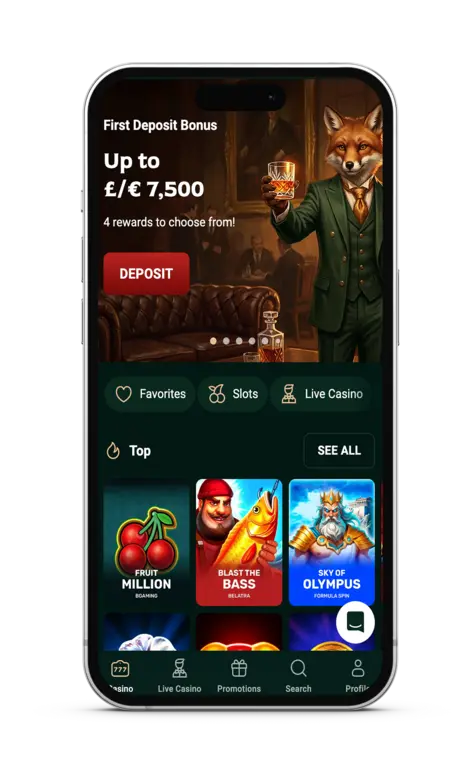
Compatible Devices with the Casino Flutterhall App
The casino’s software can be used on multiple device types but with some variations. Those details regarding the casino Flutter Hall app are shown in the following table.
| Feature | iOS App Store App | PWA Version (Android, iOS & Desktop) |
|---|---|---|
| Availability | Download from the Apple App Store. | Get it directly through a web browser. |
| Supported Devices | iPhones, iPads, iPod Touch, Mac and Apple Vision. | Android smartphones, tablets, Windows PCs, Mac computers and laptops. |
| Updates | Automatic updates through the App Store. | Updates are applied automatically. |
| Storage Space | Requires device storage for installation. | Minimal storage required. |
| Login Access | Secure login. | Secure login. |
| Performance | Native iOS experience. | Browser-based experience. |
Minimum System Requirements
The Casino Flutterhall mobile app has low system requirements, allowing it to be used on older and budget devices. These are covered in the following lists.
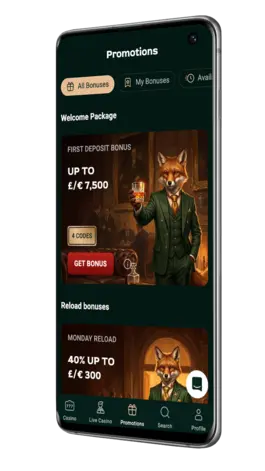
iOS App
- Operating System: iOS 13.0 or later
- Processor: Apple A12 Bionic or newer
- RAM: 3 GB
- Storage Space: 200 MB
- Internet Connection: Stable Wi-Fi, 4G or 5G
- Browser Support: Safari (latest version available)
PWA Flutter Hall App
- Operating System: Android 7.0 or later, Windows 10/11 or macOS 11 or later
- RAM: 2 GB
- Storage Space: At least 50 MB
- Internet Connection: Stable Wi-Fi, 4G, 5G or Ethernet
- Browser Support: Chrome, Safari, Edge or Firefox
Flutterhall Casino App User Interface
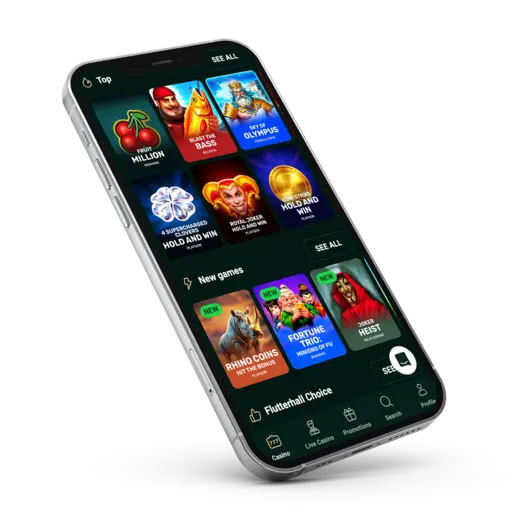
The software is designed with simplicity in mind and to mimic the website’s user interface. As such, the top part of the Flutterhall mobile app is reserved for the main control panel, including logging in, registration and the cashier section. The middle segment is used for games. There, you can find the top titles and browse multiple collections, including slots, tables and more. You can also check out the latest wins, the list of software providers and additional information. The last segment of the Flutter Hall Casino application is used to access your profile, explore the casino’s main pages and contact the support team if needed.
How to Play Mobile Games?
Playing any of the titles the casino hosts is the same as on the web version. In general, you need to follow these steps.
- Sign-in: Users must create an account and log in.
- Deposit: Use the Casino Flutterhall mobile app to add funds to your balance.
- Explore: Check out the available titles in the desired collection.
- Load: Tap the title you want to play.
- Adjust a wager: Use the on-screen controls to adjust the bet size.
- Play: Tap “play” or “spin” and wait for the round to complete.
The same instructions apply to slots, tables and instant win games. Using the Flutterhall app, you can also play live dealer games.
Top Features of the Flutterhall Mobile App
The main features are the ability to access your profile, play games and cash out. Players from the UK will appreciate the simplicity combined with powerful features and options. Overall, you can use this method to replace gambling on the PC. Additionally, the Flutter Hall Casino app offers some specific options such as:
- Push notifications: These allow you to receive instant alerts about new promos, games and more.
- KYC verification: You can complete it using the mobile app.
- Full game compatibility: All HTML5 titles and live dealer games will work.
- Deposits & withdrawals: Players can use banking methods to fund the balance or cash out when needed.
- Fast loading: The casino Flutterhall app features fast-loading tiles for all the titles on the site.
Security Features used in 2026
The main feature here is the 256-bit SSL encryption, which will encrypt the data between your device and the servers. At the same time, 2FA can be triggered, so players have to enter a short-term code before accessing their account. The Flutter Hall app allows members to enable biometric protection on their phones. Face ID or a fingerprint scanner can be used to unlock the device and confirm logging in or a transaction. Every time the website is updated with new security features, the app gets them as well. These are implemented during the first loading.
Casino Flutterhall Mobile App Promotions
British players using the Flutterhall Casino app can claim a few promos and benefits as new members and also more as existing players. Available offers include:
- Welcome bonus: Up to £5,000 + 200 FS + Puzzle Flip to new members.
- VIP welcome offer: 200% match up to £5,000 + 7 days of free VIP trial.
- Reload bonuses: These include up to 240 CS, 50% match, 60 extra rounds, etc.
- Exclusive offers: The Flutter Hall mobile app offers users a 7% crypto promo, 111 FS and more.
Thanks to the push notifications and promo codes, players can get one-time deals directly to their smartphones. These incentives often include extra spins for slots, additional match bonuses and game-specific deals.
Advantages & Drawbacks
Before you start the installation and log in using this method, check out the main advantages and drawbacks of the casino Flutter Hall app.
| Pros | Cons |
|---|---|
| Push notifications | Unavailable in the Google Play Store |
| App Store and PWA versions | iOS 16.4 or newer is required for push notifications |
| Biometric security | No APK file |
| Full game compatibility | |
| Low system requirements |